Give customers a clear reason to scan
A QR code is more useful when the customer understands what happens next. “View care instructions” or “Explore this collection” gives a specific reason to use a phone. Choose a short instruction that matches the destination instead of relying on a bare code with no explanation. The sticker should answer a small, relevant need at the moment it is seen.
Think about where that moment occurs. A code inside a parcel might help with setup, while a sticker on a display might provide more product information. Keep the destination focused on that task. Sending someone to a busy homepage when the label promises a particular guide creates unnecessary work and can make the printed experience feel disconnected from the online one.
Decide who controls the destination
A code can contain a direct web address, or it can point through a redirect that leads elsewhere. A direct address is straightforward, but the printed code cannot change if that address is replaced. A managed redirect may allow the destination to change, depending on the service and account controlling it.
For a long-running packaging range, consider using a stable address on a domain you control. If a third-party QR service is involved, check its account ownership, subscription and expiry conditions before printing. Sticker production does not automatically include a redirect service, hosting or scan analytics. State whether you already have a working code or need the artwork prepared from a confirmed URL, and identify who will maintain the destination.
Protect the clear margin around the code
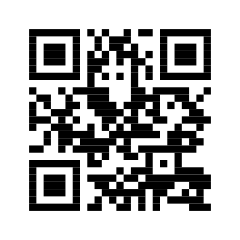
A QR code needs empty space around its pattern so a scanner can distinguish it from nearby artwork. For a standard QR symbol, this quiet zone is four modules wide on every side; a module is one of the small squares that make up the pattern. Keep text, borders and illustrations outside that area.
Treat the margin as part of the code when positioning it on the sticker. Cropping a supplied image tightly to the dark squares can remove space that is needed for scanning. A designer should preserve the correct proportions when scaling. The sticker also needs enough room for its own cut edge and any surrounding message. An apparently large label can still contain a cramped code if these spaces are not planned together.
Choose size through testing, not a fixed promise
There is no single physical size that makes every QR code suitable for every use. The amount of encoded information affects the pattern, and the expected scanning distance influences the practical layout. A code intended for close viewing on a small box is a different design problem from one on a display seen further away.
Keep the destination address concise where practical, then generate and assess the code at the proposed size. Print a trial at actual dimensions and test it with several phones. Check the full sticker, including the instruction and clear margin, rather than testing an enlarged code on a monitor. If customers must move unusually close or repeatedly change angles, reconsider the size, contrast or placement before ordering production.
Keep contrast strong and decoration controlled
A dark code on a plain light background is a useful starting point for dependable contrast. Decorative colours, transparent areas and reflective finishes can introduce variables that are difficult to judge from a screen. Your brand can still appear through the surrounding layout, typography and colour accents without making the code itself complex.
Avoid stretching the pattern, blurring its edges or covering important parts with a logo. If a branded code has already been supplied, test that exact file rather than assuming it works because a plain version did. On transparent or metallic labels, consider a solid light panel behind both the pattern and its quiet zone. The goal is a code that fits the brand while remaining straightforward to scan.
Place the sticker where a camera can see it
Choose a position that remains accessible after the product is packed. Avoid folds, seams and strongly curved areas that distort the code. A narrow bottle can make a wide pattern wrap out of view, while a flap can conceal part of the sticker when closed. Check the final placement on the assembled packaging.
Lighting also matters. Glossy surfaces may reflect a bright light directly into a camera, and a code placed underneath a product is easily overlooked. Test the placement where customers are likely to use it, rather than only on a flat sample sheet. Leave the instruction visible and make sure other labels do not compete with or accidentally cover the scanning area during the packing process.
Select the material around the environment
QR is a function, not a material. A paper sticker may suit a dry carton or an indoor information label, while a suitable film construction may be considered for more demanding handling. The best choice depends on the surface, moisture exposure, cleaning and intended lifetime of the application.
Describe these conditions in the quote form. If the code must remain readable after repeated handling, the print and protective finish need to be assessed as well as the adhesive. For temporary campaigns, discuss removal requirements. For permanent product information, think about the durability of both the sticker and its online destination. The physical code and the page it opens need to remain useful for the period you expect customers to rely on them.
Check the whole customer journey before approval
Scan the final exported artwork, then scan a printed sample at its actual size and on the intended surface. Confirm that the address opens the correct page, that the page loads on a phone and that the promised information is easy to find. Check any login, cookie or region restrictions that may interrupt the journey.
Test with more than one device and under ordinary lighting. If several designs link to different products, maintain a list pairing each artwork file with its destination. Check that list during approval rather than assuming the codes are interchangeable. A technically readable code can still be wrong if it points to the wrong product. Keep the approved file and destination record together for future reprints.
Send a QR sticker brief that is ready to assess
Select customised QR code stickers, provide your quantity and add the destination URL in the form. Tell us the sticker dimensions if known, the application surface and the short message that should sit beside the code. Upload existing artwork or a supplied QR file if you have one, and explain whether all stickers use the same destination.
If every sticker needs a different code, say so explicitly: variable data requires separate production planning and confirmation. A standard enquiry does not imply that unique-code printing is included. The quotation should establish the material, design count, code treatment, price and timing. Approve the exact destination and test the final artwork before production, then keep ownership of any linked website or redirect account clear.